Worship team scheduling
Schedule your worship team without chasing anyone
Volunteers answer from one private link: no account, no app to install. Seteo drafts a fair rotation, you approve it, and everyone hears about it at once.
Flat per church, every volunteer included.
How a month gets staffed
From “who’s around?” to a full grid.
The hard part of a worship schedule isn’t the grid. It’s the replies, spread across three group chats at three different speeds. Seteo moves the replies to one place.
Ask who’s around
Each teammate gets a link to their own page: “Sundays that work for you?” They tap the weeks they can serve. Going away for a while? They mark the dates once and Seteo plans around them.
Let Seteo draft the rotation
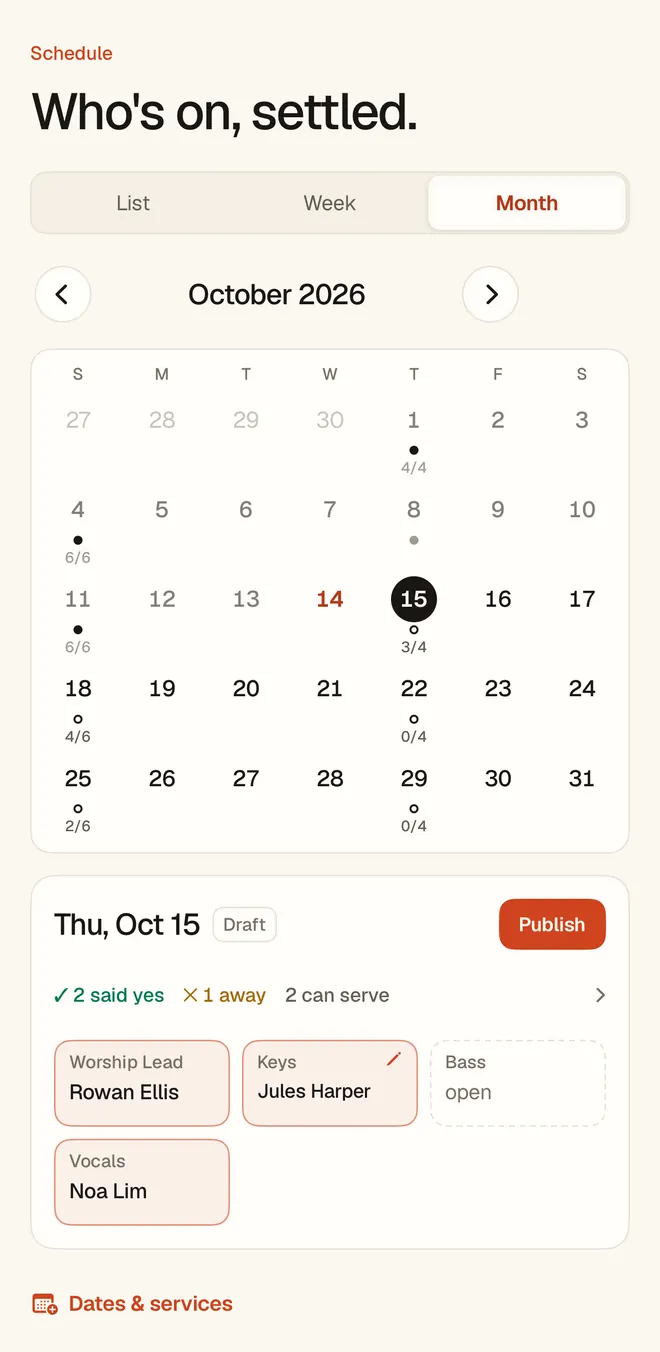
Seteo fills the coming weeks from the answers, the positions each person plays, and a long memory for who has carried the load. It arrives as a draft, with anything shaky flagged.
Look it over
Move anyone, clear a seat, or fill the whole thing by hand if you’d rather. Read it as a list, a week or a month, on the web or in the iPhone and Android apps. Seteo drafts; you decide.
Publish once
One publish reaches every person the way they chose, and you watch it happen: who was emailed, who opened their link, who replied. “Opened” comes from link timestamps, with no tracking pixels. If someone has no email or Discord, Seteo says so and hands you their link to send yourself.
They answer from their phone
The ask is ordinary email from your church. One tap: I’m in, or can’t make it. A yes brings up the calendar buttons, and they add the date to Apple, Outlook or Google Calendar from their page, with their link inside the event. The Apple and Outlook file sets a reminder the day before.
When someone declines
You get one email and a push to your phone, with a suggested replacement already attached. Approve the swap and the incoming teammate gets their link. If your church uses Discord channels, the channel re-syncs too. It arrives with names, not a problem.
What makes the draft fair
Some rules never bend. The rest get weighed.
Never broken
- A date someone blocked out, or answered “can’t make it”.
- One seat per person per service date, across every team.
Weighed, and shown to you
- Whether someone said yes or just hasn’t answered yet.
- How long it has been since they last served.
- Back-to-back Sundays, and too many serves in a month.
- How often their yes has held.
A cell that would wear someone out gets flagged, so you see the tradeoff instead of finding out from them. And the draft is steady: the same answers give the same schedule, so running it again is a real check rather than a roll of the dice.
What a volunteer sees
No app. No account. No chasing.
Each teammate gets one private link, theirs for good. The first time they open it, it walks them in: answer the Sunday, drop an email for future publishes, connect Discord if the team uses it.
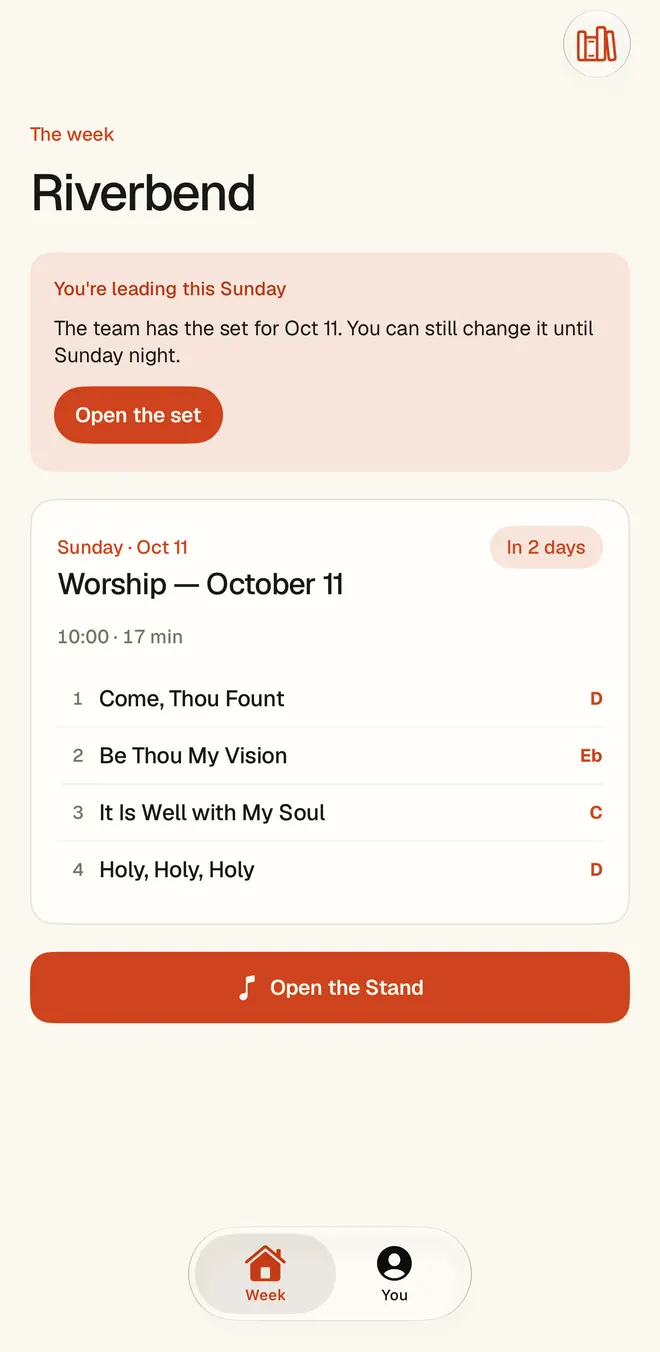
Their Sunday leads
The page opens on what they’re doing next, and the charts for that set are one tap away. It takes about a minute, and they never see a login screen.
It tells you what they play
A friendly first question asks what they do on the team. They tap as many roles as they cover, and your roster fills in with no data entry from you.
It can sit on the home screen
The page shows them how to pin the link, so it opens like an app. And for anyone who wants one, there is a real app on iPhone and Android.
More than one team
Worship and AV on one grid.
On Whole Ministry, Worship and AV/Media live on one grid with one roster, so nobody gets double-booked across teams. Seats are your church’s own: name them what your team calls them.
Sunday is not the only day. A Thursday college service or a Saturday night gets its own dates, and each ministry can keep its own schedule and service times.
Scheduling is one part of the week. See how it fits with the set and the charts on the worship planning app page.
Pricing
Flat per church. Every volunteer included.
No per-seat fees, ever. The set composer, chat edits, The Stand, and the volunteer loop are in every plan — you only move up for more teams and deeper insight.
Getting started. Flat per church, every volunteer included. $29 or $59 a month, charged when you subscribe. Cancel any time.
Before you ask
My volunteers won’t learn a new app.
They don’t have to learn anything. Everything arrives through one private link that works in any browser — one tap answers, no login. They can pin it to their home screen and it opens like an app.
Does Seteo send text messages?
No. Seteo reaches people by email, on Discord if your team uses it, and by notification if they have the app. Anyone it can’t reach is flagged for you, with their link ready to copy and send yourself.
How far ahead can we schedule?
Founding Church schedules one team, four weeks ahead. Whole Ministry adds AV/Media on the same grid and plans as far out as you like.
Is a private link safe?
Links are unguessable, private to each person, and instantly revocable — by them or by you. Each one opens that person’s own page and nothing else.