Worship planning app
The worship planning app that starts with the sermon
Seteo builds Sunday’s set from your own song library, puts chord charts on every phone, and schedules the team by one private link.
Flat per church, every volunteer included.
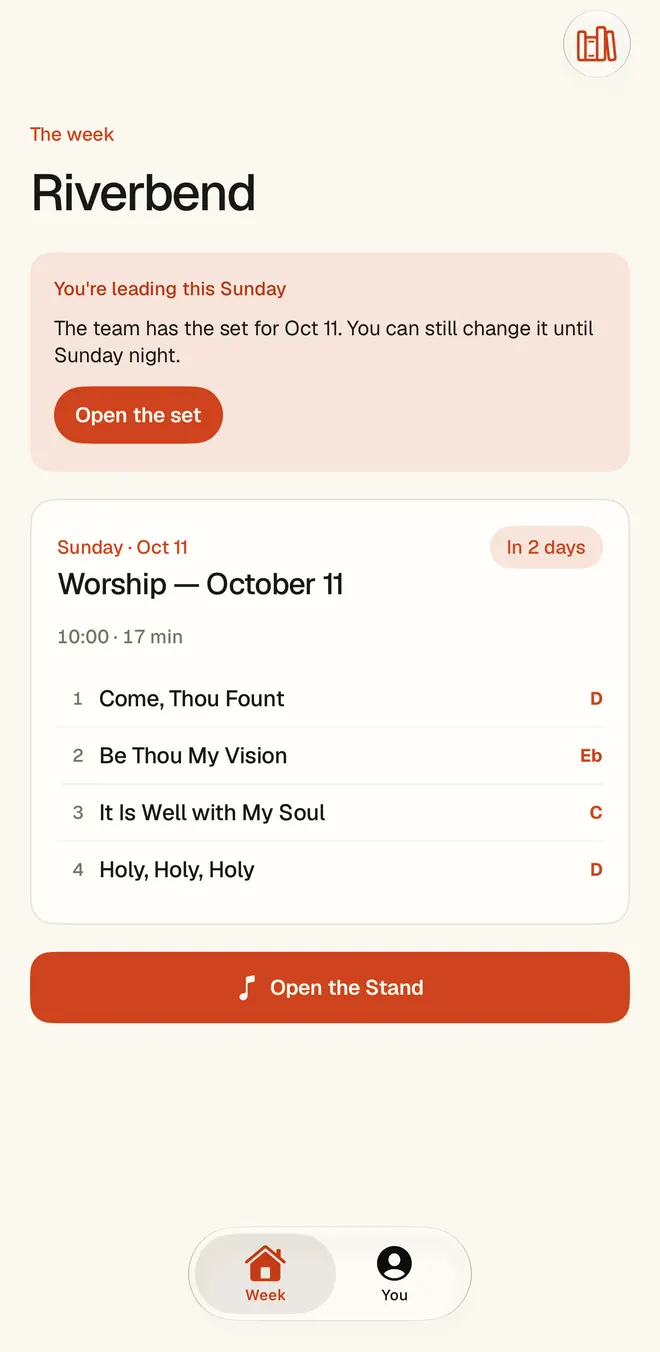
What a week looks like
Wednesday. Thursday. Sunday.
Most weeks have the same shape: a set to build, a team to reach, a service to lead. Seteo follows that shape, and starts where you do, with the message.
Wednesday: the set
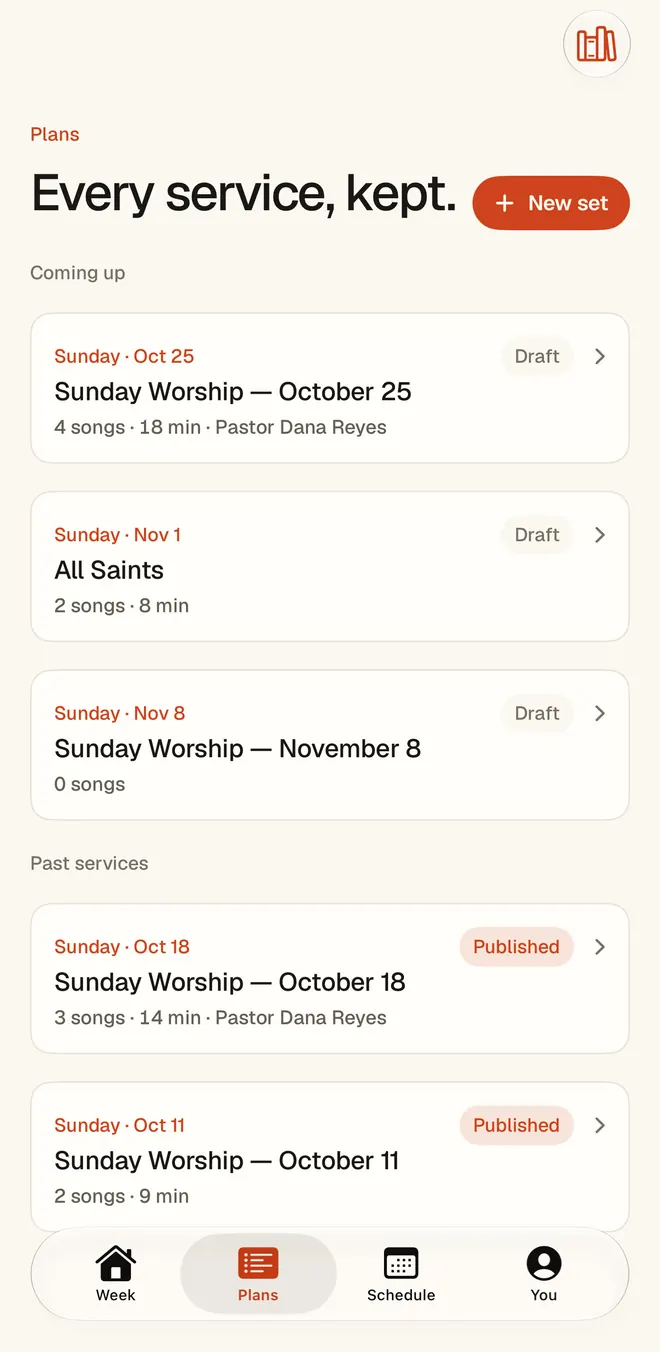
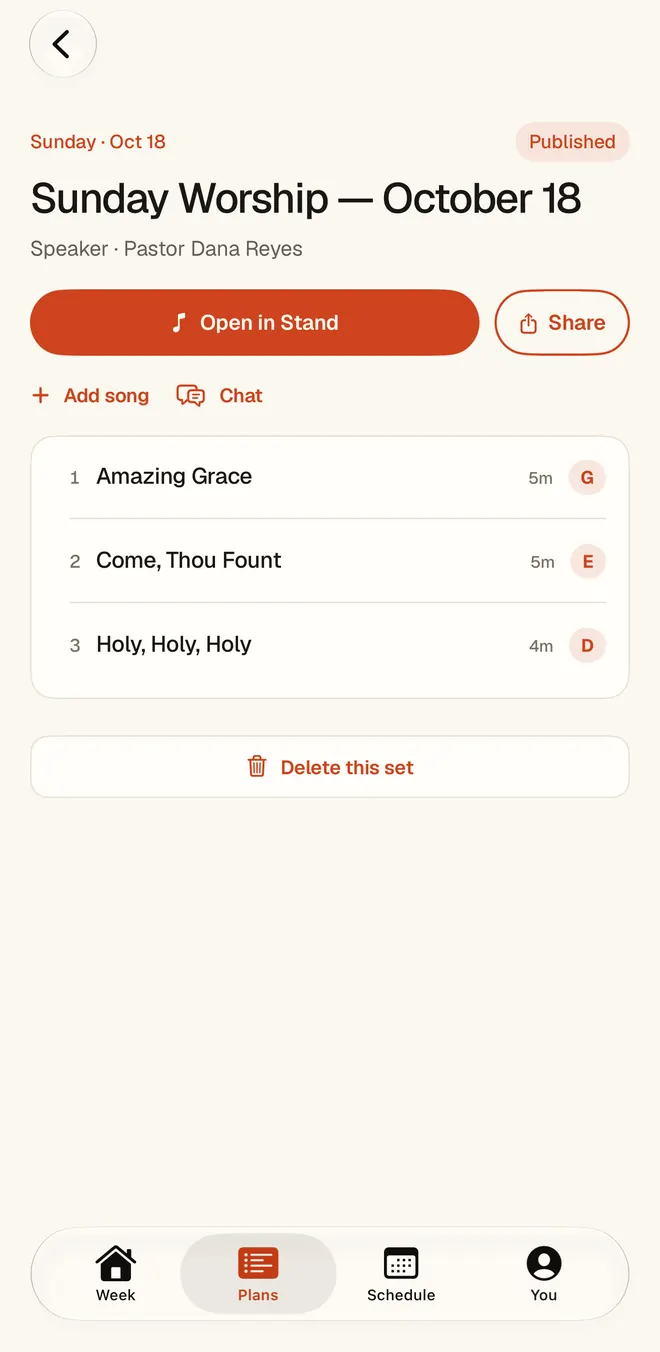
Paste the sermon into the web planner. Seteo proposes songs from your church’s library, in order and in keys, with one honest sentence on why each belongs. Love the opener? Lock it, and the rest re-forms around it. Don’t like the closer? Say “take it down a step” and the plan updates in place. Nothing reaches your team until you send it.
Thursday: the team
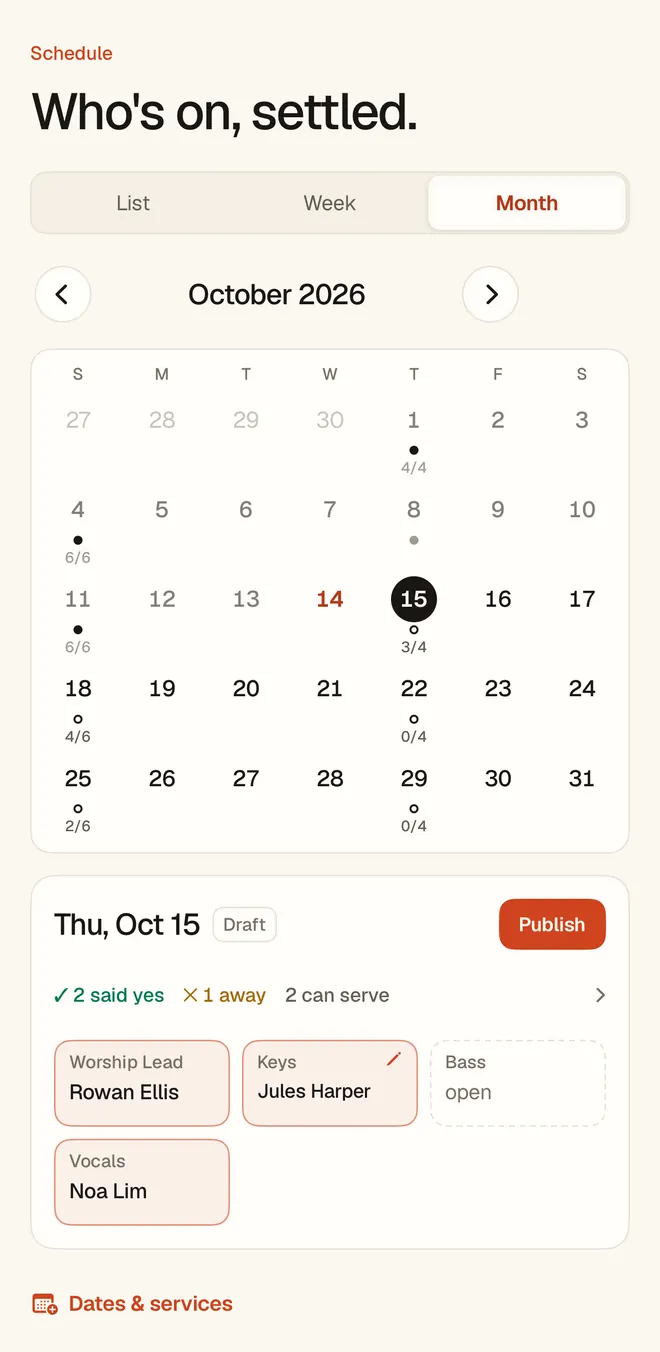
Each person gets an ordinary email from your church with one private link. It opens on their phone with no login, and they answer: I’m in, or can’t make it. A yes brings up the calendar buttons, and they add the date to Apple, Outlook or Google Calendar from their page. You see who has answered, and Seteo tells you about anyone it couldn’t reach.
Sunday: the Stand
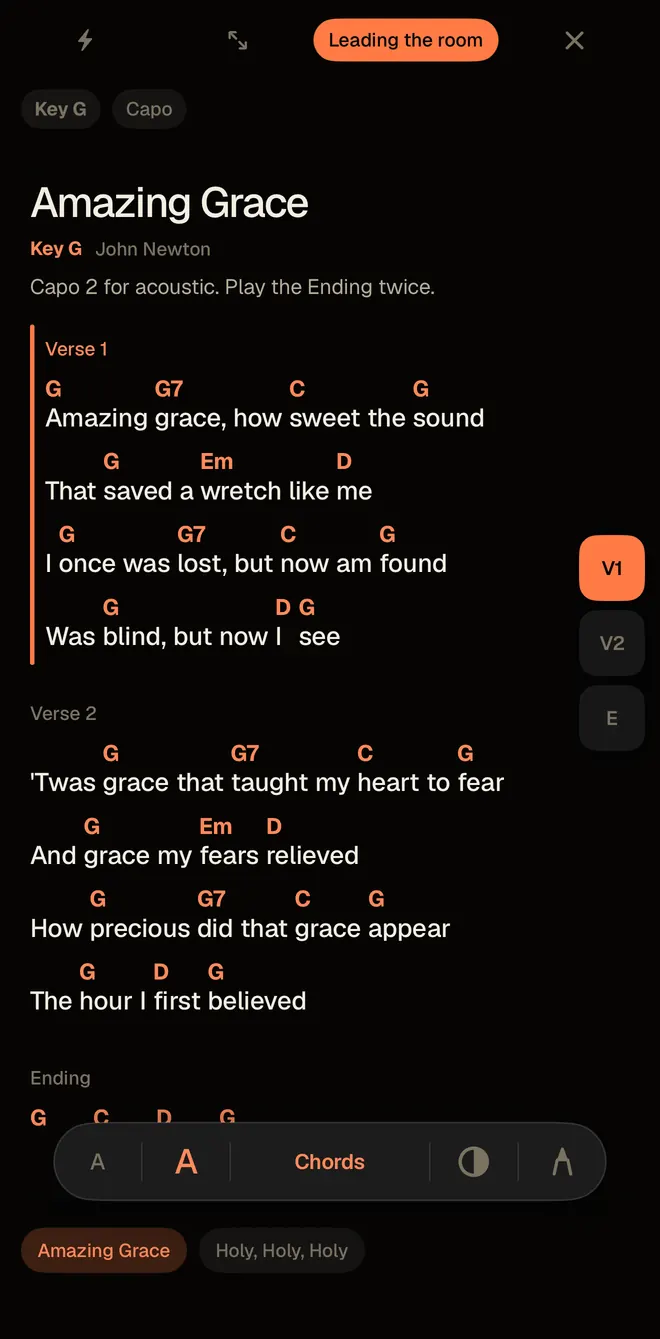
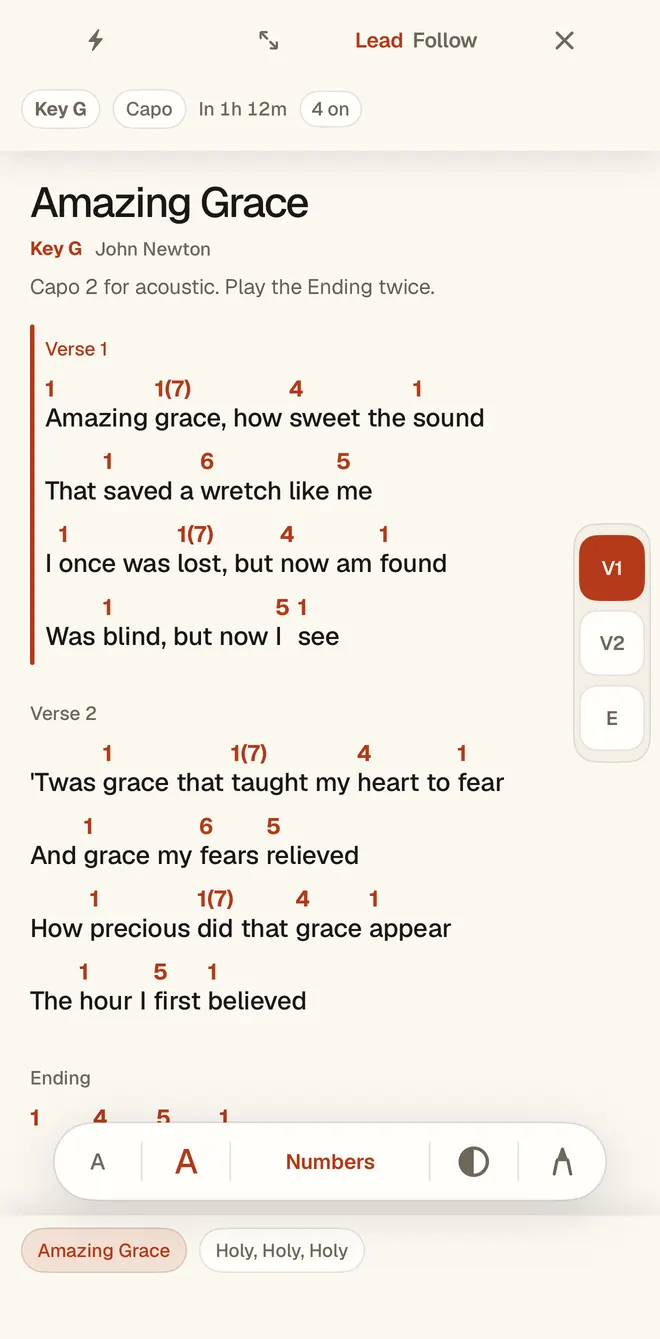
Every phone and tablet becomes the chart: the whole set, each song in its key. Anyone can flip between Chords, Numbers, Grid and Lyrics, make the text bigger, or set a capo, and the chart reflows instead of clipping. A leader can lead the room, and the phones set to Follow move with them.
What’s in it
One place for the set, the charts and the team.
Seteo runs on the web, on iPhone and iPad, and on Android. The web planner is where a set gets composed from a sermon. Schedules, chat edits and the Stand are all in the apps too.
The set composer
Reads the message and proposes the service from your library: songs, keys, order, and a reason for each pick. It draws only from songs you have. It never invents one.
Chat edits
Change a key, swap a song or rebuild the set by saying so. Founding Church includes 4 chat edits a month. Whole Ministry is unlimited.
Scheduling with no volunteer logins
Availability and Sunday answers come through one private link. Seteo drafts the rotation from who’s free and who has served lately. Every change is yours to approve.
The Stand
Keys and capo. Chords, Numbers, Grid and Lyrics. Dark, Paper and High contrast. Pen marks on your own copy in the iPhone, iPad and Android apps, and two columns on an iPad, read like a hymnal spread.
Planning Center import
Seteo imports your songs from Planning Center, so the library you built comes with you. You can also bring ChordPro or CSV files, or hand Seteo a PDF binder and get living charts back.
Guest links with a QR code
A guest sitting in this week? Send the set with one link or a QR code. They get full charts on the Stand and nothing else, and the link retires itself after a week or two.
Who it’s for
Teams that run on volunteers.
Volunteer worship teams
Seteo is built for the church where the drummer has a day job. Nobody needs an account to serve, nobody has to learn a new app, and adding a volunteer never raises the bill. The person planning on Wednesday night gets the assembling done for them, and keeps the part that needed them.
Worship and AV/Media
On Whole Ministry, Worship and AV/Media share one grid and one roster, so nobody gets double-booked across teams. Someone who runs sound and sings backup can’t land in both seats on the same date.
Churches with several ministries
A college service on Thursday and a Sunday service can each keep their own schedule and service times, under one church and one song library.
Works with Planning Center
Keep it. Seteo imports your songs.
Plenty of churches already run on Planning Center, and many should stay there. Seteo doesn’t ask you to move your giving, your groups or your check-ins, because it doesn’t do any of that. It imports your songs and takes on the week between the sermon and the last chord.
We wrote down what each one does, including where Planning Center is the stronger choice: Seteo and Planning Center Services.
Pricing
Flat per church. Every volunteer included.
No per-seat fees, ever. The set composer, chat edits, The Stand, and the volunteer loop are in every plan — you only move up for more teams and deeper insight.
Getting started. Flat per church, every volunteer included. $29 or $59 a month, charged when you subscribe. Cancel any time.
Before you ask
Will it pick songs that aren’t us?
It composes only from your library and shows its reasoning for every pick. You edit anything; nothing goes to the team until you send it.
What about our CCLI license?
Your charts stay your charts, stored under your church’s own music license — like the binder on your piano. Sharing the library to volunteers is off by default; an admin turns it on, on the record, and can pause it anytime.
My volunteers won’t learn a new app.
They don’t have to learn anything. Everything arrives through one private link that works in any browser — one tap answers, no login. They can pin it to their home screen and it opens like an app.
Is our data private?
Private by default. Your sermons, charts, and roster stay yours, and are never used to train public models. No tracking pixels — even “opened” comes from link timestamps.