Worship set planner
Plan the worship set from Sunday’s sermon
Paste the sermon. Seteo proposes songs from your church’s library in order and in keys, with a reason for each, then publishes the set to the team.
Flat per church, every volunteer included.
How it works
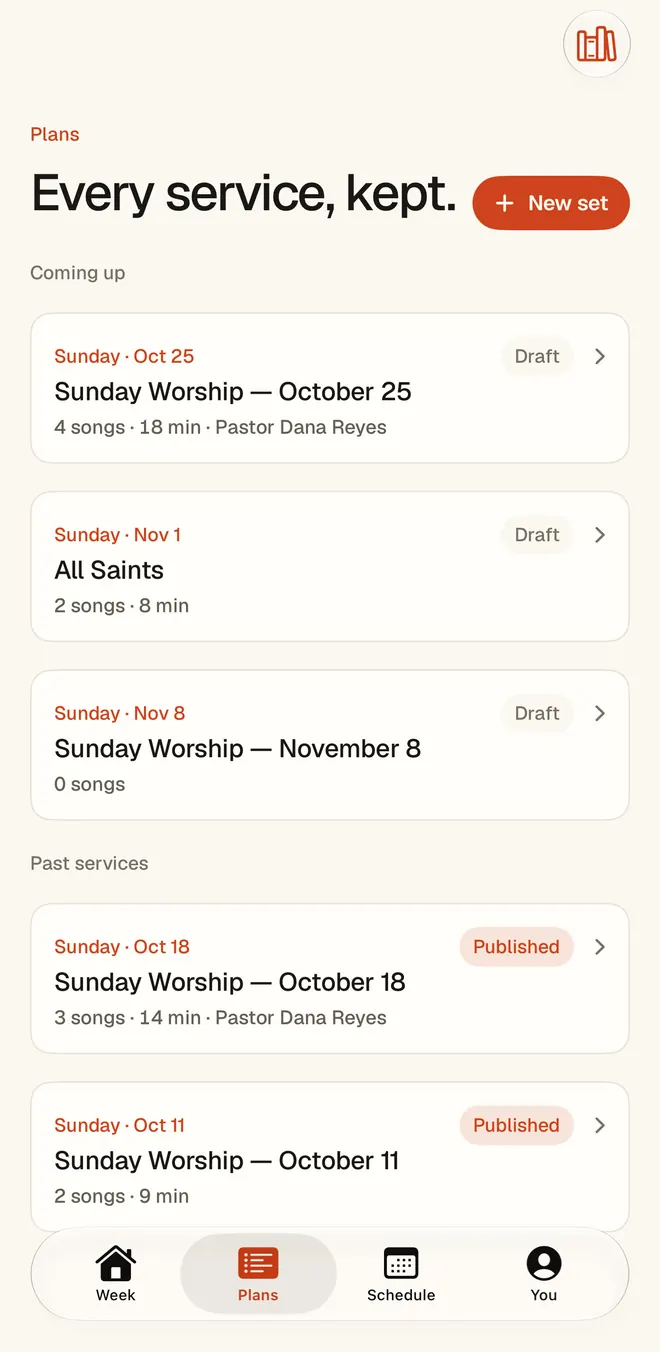
Paste the sermon. The set arrives.
You match songs to the sermon from memory, every week, from nothing. Seteo does the assembling, so you can do the part that needed you.
Start with the message
In the web planner, paste the sermon or its outline, add the passage, and pick the date and the service. Seteo shortlists your library against what the message is actually saying.
Watch the service take shape
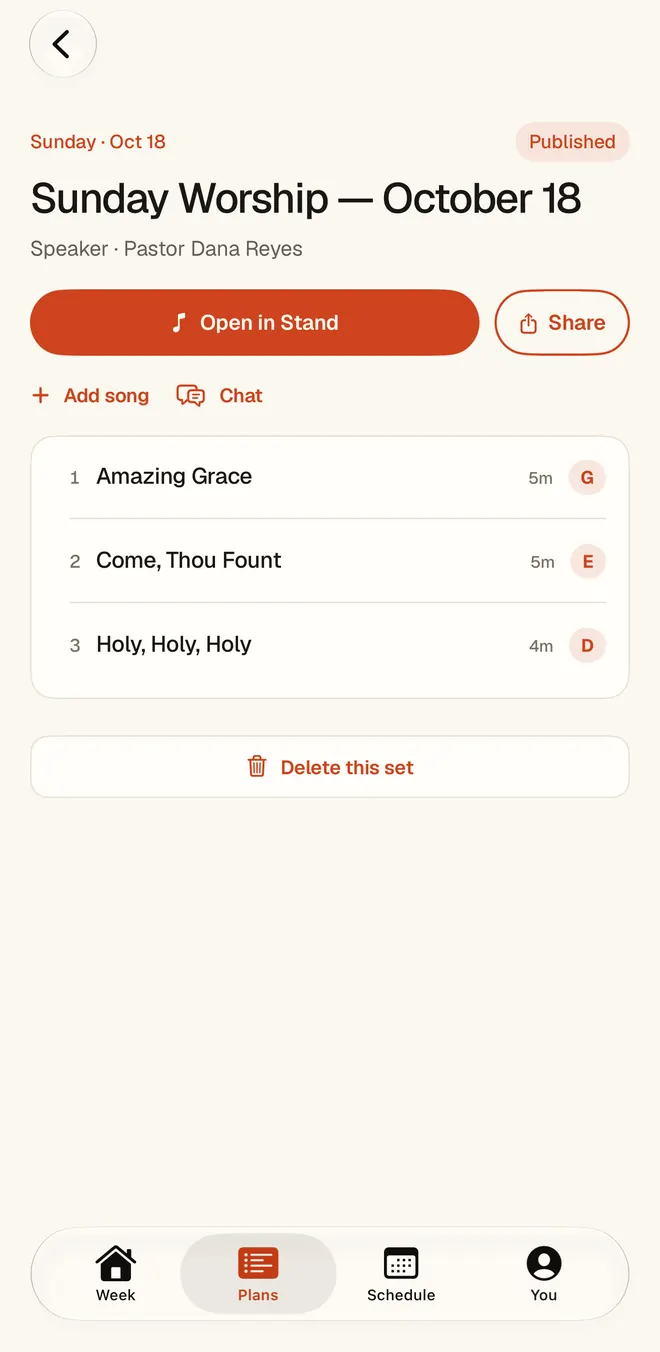
The plan streams in section by section: a call to worship, the worship set, the scripture reading, the sermon, a response song and the sending. Each song comes with a key and one honest sentence on why it belongs.
Keep what’s right, change what isn’t
Love the opener? Lock it, and the rest re-forms around it. Don’t like the closer? Say so, “take it down a step, something quieter”, and the plan updates in place. Or drop in a song yourself.
Send it when it’s ready
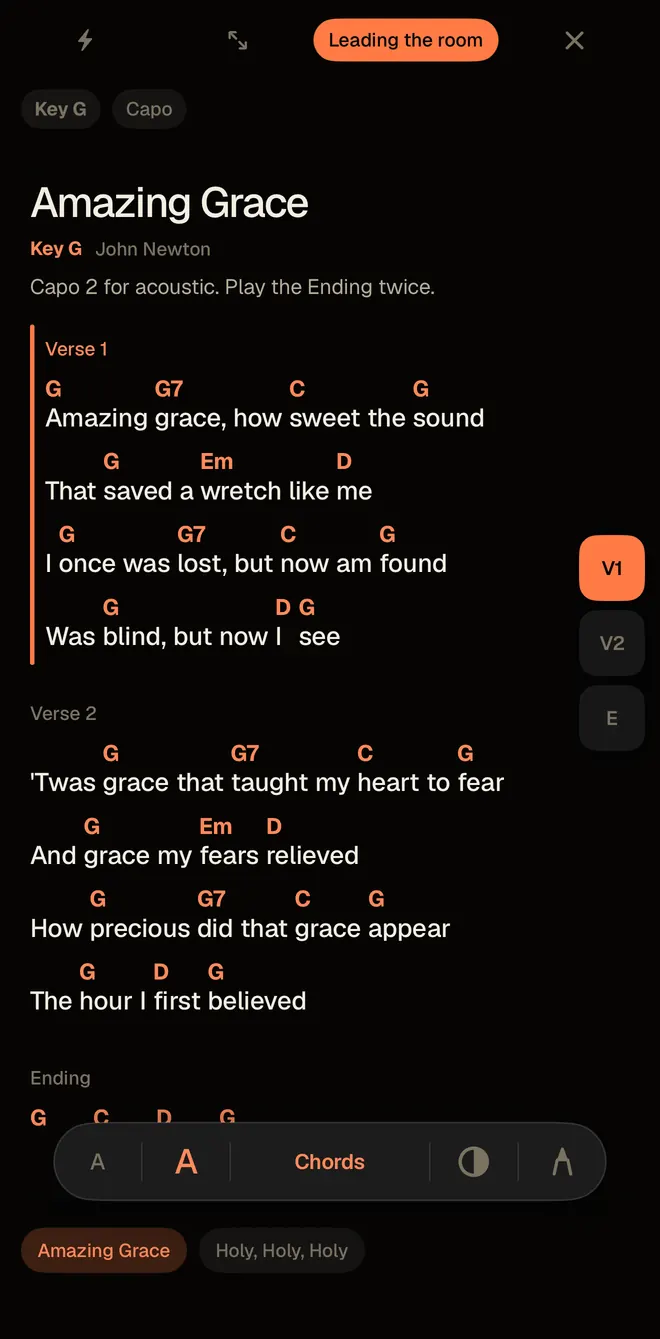
Nothing reaches your team until you publish. When you do, every person hears about it the way they chose, and their charts are waiting on the Stand in the right keys.
Your library, your church
It never invents a song you don’t have.
A set planner is only useful if the songs are ones your congregation can sing. So Seteo draws only from your church’s own library. Its picks are checked against that library before you ever see them, and a song you’ve locked stays where you put it.
Bring the library with you: Seteo imports your songs from Planning Center, reads ChordPro and CSV files, and turns a PDF binder into living charts. See chord charts for the rest.
The reasons matter as much as the picks. You can see why a song is there, disagree, and move on. It’s a first draft from a colleague who has read the sermon, and the decision stays with you.
Change your mind on the road? Seteo’s chat edits work on the web and in the phone apps. Founding Church includes 4 chat edits a month, and Whole Ministry is unlimited.
The craft
How to plan a worship set from a sermon
You don’t need any software for this. These are the questions we built Seteo around, and they work on a legal pad too.
Find the one sentence
Before you open the song list, write down what the sermon is asking of people in one sentence. If you can’t, ask your pastor. A set built on a topic wanders. A set built on one sentence has somewhere to go.
Decide where the room should land
Work backwards from the response. What should people be singing just after the sermon ends? Pick that song first. It’s the one most tied to the message, and the rest of the set leads toward it or sends people out from it.
Choose songs your people know
Congregations sing what they know. Keep new songs rare, and give a new one a few weeks in a row so it can become theirs. A familiar song that fits beats a perfect one nobody can sing.
Leave room for the room
A set is more than songs. Decide where the scripture reading goes, where someone prays, and how the service moves into the sermon and out of it. A plan with those moments written down holds up better than a song list with gaps nobody owns.
Mind the keys and the joins
Check that each song sits where your congregation can sing it, then check the joins. Songs in the same key, or a step apart, move easily from one to the next. When a jump is hard, plan a pause or a spoken line and put it in the plan.
Tell the team why
A sentence from you on why this set, this week, helps the band play it with intent. Put it where they’ll see it, next to the charts.
Pricing
Flat per church. Every volunteer included.
No per-seat fees, ever. The set composer, chat edits, The Stand, and the volunteer loop are in every plan — you only move up for more teams and deeper insight.
Getting started. Flat per church, every volunteer included. $29 or $59 a month, charged when you subscribe. Cancel any time.
Before you ask
Will it pick songs that aren’t us?
It composes only from your library and shows its reasoning for every pick. You edit anything; nothing goes to the team until you send it.
Does the sermon have to be finished?
No. Seteo reads whatever you paste, so an outline works as well as a manuscript. The fuller the message, the more it has to go on.
Is the sermon private?
Your sermon text goes to our AI processing provider only to generate your results, and it is never used to train public models. Your sermons, charts and roster stay yours.
Can I still build a set by hand?
Yes. Start a new set on the web, on iPhone or on Android, add songs yourself and set the keys. The composer is there when you want it, and it doesn’t get in the way when you don’t.